
Buying a budget projector can be a smart way to enjoy a big-screen experience at home without spending hundreds of dollars on a premium home theater system. But a low price does not always mean good value. The wrong projector may leave you with a dim picture, blurry edges, frustrating connections, or features that do not work as expected.
The best way to choose a budget projector is to prioritize native resolution, verified brightness, suitable throw distance, and reliable connectivity before paying extra for convenience features. Knowing which specifications are essential—and which you can compromise on—will help you avoid common buying regrets.
1. Budget Projector Buying Checklist: The Must-Haves
Before comparing projector deals, work through these essential checks.
Check 1: Native Resolution, Not Just “4K Supported”
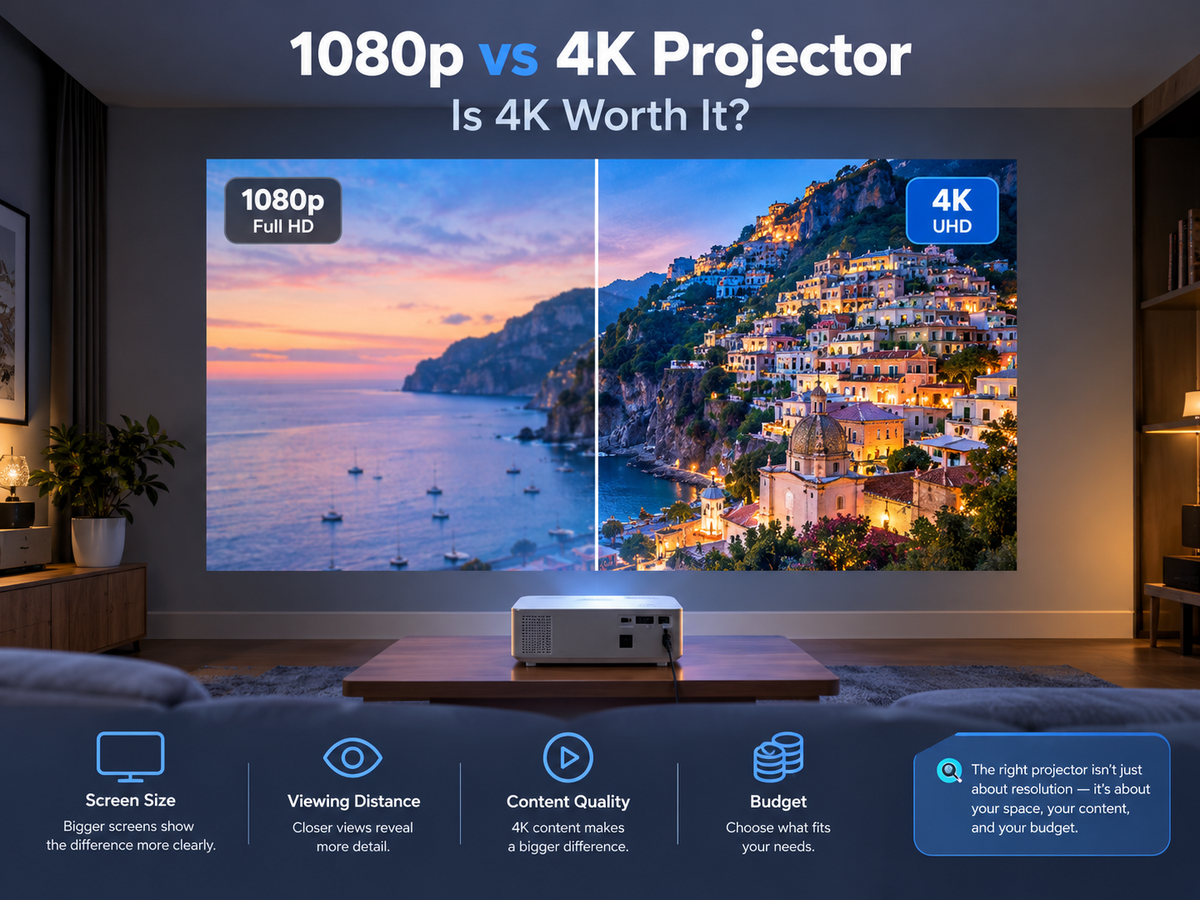
Resolution determines how much detail a projector can display. However, product listings often use terms such as “1080p supported” or “4K supported,” which do not necessarily mean the projector displays images at native 1080p or 4K resolution.
For most budget home entertainment setups, native 1080p is a sensible target if your budget allows. Native 720p can still be suitable for casual viewing, particularly on smaller images or at greater viewing distances.
Buying tip: Check the native resolution in the detailed specifications. Treat supported input resolution as a separate feature.
Check 2: Brightness That Matches Your Room
Brightness affects how visible and vibrant the projected image appears, especially when there is ambient light.
Look for brightness measured in ANSI lumens or another clearly identified standardized measurement. Be cautious when comparing products that advertise large lumen numbers without explaining how they were measured.
Consider your main viewing environment:
· Dark bedroom: A lower-brightness model may be sufficient for casual movie nights.
· Dim living room: Look for more brightness, particularly if you want a larger image.
· Bright room or daytime viewing: A budget projector may struggle, even when its advertised brightness sounds impressive.
Remember that increasing image size spreads the available light over a larger area. Closing curtains and reducing ambient light can often improve the viewing experience without spending more.
Check 3: Throw Distance and Image Size
A projector is only useful if it can produce your desired image size from the space you have.
Before purchasing, measure the distance between the intended projector position and your wall or screen. Then check the manufacturer's throw ratio or projection-distance guide.
A short-throw projector may be better for a small bedroom, while a standard-throw model can work well when you have more room.
Also consider where the projector will sit. A bedside table, shelf, coffee table, or ceiling mount can each create different placement limitations.
Check 4: Compatible Connections and Playback Devices
Do not assume that every budget projector supports every device or streaming service.
Check whether the projector has the inputs you need, such as HDMI or USB, and whether its software supports your intended playback method. Some services may require an external streaming device because app availability, software compatibility, or content-protection requirements vary by model.
If you plan to use a laptop, game console, TV stick, or external speaker, confirm compatibility before buying.
Check 5: Real-World Reliability
Specifications cannot tell you everything about everyday use.
Read recent customer reviews and independent tests where available. Pay particular attention to recurring complaints about fan noise, inconsistent focus, overheating, wireless connectivity, and image quality.
Also check the warranty, return policy, and available support. A slightly cheaper projector may not be the better deal if resolving a problem becomes difficult.
2. What Can You Compromise On?
Not every feature deserves equal priority. Depending on your viewing habits, some compromises can help you stay within budget.
Smart features: If you already own a compatible streaming device or laptop, you may not need a projector with an extensive built-in smart platform.
Automatic focus and keystone correction: These features make setup easier, especially if you move the projector frequently. However, manual adjustment can be perfectly acceptable when the projector stays in one position.
Built-in speakers: Integrated speakers are convenient for casual viewing, but they may not provide the sound quality or volume you want. If you already have Bluetooth speakers or another compatible audio solution, this may be less important.
Premium design and portability: A compact body or decorative finish can be attractive, but prioritize cooling, placement flexibility, and practical usability first.
Maximum supported resolution: You do not necessarily need a projector that accepts 4K input if your main priority is affordable Full HD viewing. Focus on the resolution the projector actually displays.
The principle is straightforward: save money on features you will rarely use, not on the basic specifications that determine whether the projector works for your space.
Want to see how these considerations apply to a real projector? Read this independent Magcubic M800 review for a closer look at its features, image performance, and value for budget-conscious buyers.
3. Common Budget Projector Buying Mistakes
Mistake 1: Choosing the Highest Advertised Lumen Number
Different brightness measurements are not directly interchangeable. An impressive marketing figure does not guarantee a brighter real-world picture.
Avoid it: Compare clearly identified measurements and look for independent brightness testing when possible.
Mistake 2: Assuming “4K Support” Means Native 4K
A projector may accept a 4K video signal while displaying it at a lower native resolution.
Avoid it: Verify the actual display resolution before making a comparison.
Mistake 3: Ignoring Projection Distance
Even a projector with suitable brightness and resolution can disappoint if it cannot produce your preferred image size from the available position.
Avoid it: Measure your room first and confirm the supported projection range.
Mistake 4: Expecting Automatic Correction to Fix Every Setup
Autofocus and keystone correction improve convenience, but they cannot compensate for every placement problem. Excessive digital correction may also affect the usable image.
Avoid it: Position the projector as directly toward the screen as practical, then use correction features for fine adjustments.
Mistake 5: Forgetting About Sound and Streaming
A clear image is only part of the experience. Weak built-in speakers, incompatible devices, or unsupported streaming apps can undermine an otherwise attractive deal.
Avoid it: Check audio options, available ports, software compatibility, and your preferred playback method before ordering.
4. What If Your Budget Projector Does Not Work as Expected?
Some problems that appear to be hardware defects are actually caused by setup or connection issues.
Blurry picture: Check focus, clean the lens gently, verify projection distance, and reduce excessive keystone correction.
Dim image: Darken the room, check the selected picture mode, and make sure the projected image is not larger than your setup can comfortably support.
No signal from a laptop or console: Confirm the correct input source, check the HDMI cable, and verify the output settings on the connected device.
Streaming app will not play a video: Check app compatibility, software updates, network connectivity, and any playback-device requirements.
Wireless connection problems: Confirm that the projector and connected device are using compatible network settings, and restart them if necessary.
For more help with a blurry image, incorrect focus, or projection geometry, visit the Magcubic projector troubleshooting guide. For connection problems, consult the relevant instructions in the official Magcubic Support Center.
5. Is a Budget Projector Worth Buying?
A budget projector can be a good investment if your expectations match its capabilities. It is particularly attractive for nighttime movies, bedroom entertainment, occasional gaming, and flexible home viewing.
For buyers who want an affordable large-screen setup, Magcubic is one brand worth comparing. Review the specifications of each model carefully, especially native resolution, measured brightness, projection distance, connectivity, and automatic adjustment features.
The right choice is not necessarily the cheapest model or the one with the longest feature list. It is the model that meets your essential requirements without making you pay for features you do not need.
Frequently Asked Questions
What should I look for in a budget projector?
Prioritize native resolution, clearly measured brightness, suitable throw distance, compatible connections, and reliable cooling. Check warranty and return terms before buying.
Is a cheap 1080p projector better than a more expensive 4K-supported projector?
Not automatically. Compare native resolution, real-world brightness, contrast, image quality, and reliability. A 4K-supported label alone does not establish native 4K resolution or superior overall performance.
Final Checklist Before You Buy
Before placing your order, make sure you can answer yes to these questions:
· Does the native resolution meet my expectations?
· Is the brightness measurement clear and appropriate for my room?
· Can the projector produce my preferred image size from the available distance?
· Does it support my intended playback and audio devices?
· Have I checked real-world reviews, warranty coverage, and return terms?
If you can answer these questions confidently, you are much more likely to choose a budget projector that delivers lasting value instead of an inexpensive purchase you regret.