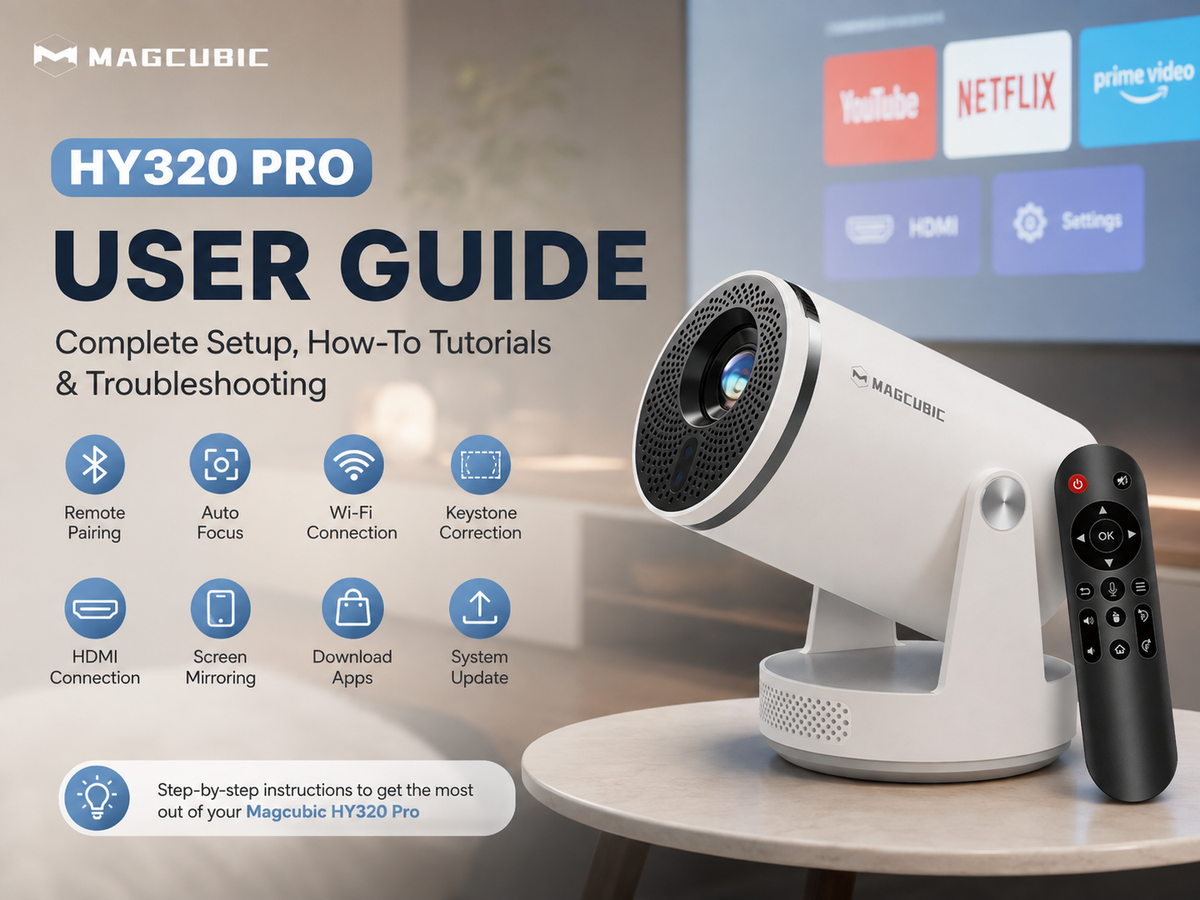

A good dorm room projector should do more than produce a large image. It needs to fit into a small space, set up quickly, stay reasonably quiet, connect easily to your devices, and be simple enough to put away when you need your desk back.
For most dorm rooms, the best projector is a compact portable model with a short or flexible throw distance, automatic keystone correction, wireless connectivity, built-in audio, and a simple setup process. If you are shopping on a budget, a Magcubic mini projector can be a practical entry-level option for creating a large-screen experience without taking up much space.
This guide explains what to look for when choosing a projector for a dorm room and how to create a better setup without disturbing your roommate.
What Makes a Projector Good for a Dorm Room?
Dorm rooms have different requirements from living rooms or dedicated home theaters. Space is limited, furniture is often shared, and you may need to pack everything away quickly.
When choosing a dorm projector, prioritize these five factors:
1. Compact size and portability
2. Flexible projection distance
3. Low operating noise
4. Automatic image correction and easy setup
5. Reliable Wi-Fi, screen mirroring, and physical connections
Brightness and resolution still matter, but they should be considered together with the actual conditions of your dorm room.
A projector that looks impressive on a specification sheet may not be the best choice if it requires a large amount of space or complicated installation.
1. Choose a Compact Projector That Fits Your Space
The biggest advantage of a projector in a dorm room is that you do not need a permanent entertainment setup.
A compact projector can sit on:
· A desk
· A nightstand
· A bookshelf
· A small side table
· A tripod
· A shelf near the wall
When you are finished watching, you can simply move it away and reclaim the space.
This is particularly useful in shared dorm rooms where the same desk may be used for studying, gaming, video calls, and entertainment.
How much space do you need?
Before buying a projector, measure the distance between the place where you plan to put the projector and the wall.
Do not assume that a projector advertised as “portable” will automatically work from a very short distance.
Throw distance determines how large the projected image can become from a particular position.
If your desk is only a few feet away from the wall, look for a projector designed to work well in small spaces or one with flexible placement options.
2. Automatic Keystone Correction Makes Dorm Setup Easier
Dorm furniture rarely gives you the perfect projector position.
Your desk may be slightly off-center. Your bed may block the ideal placement. You may need to move the projector whenever you want to study.
This is where automatic keystone correction becomes particularly useful.
Quick setup matters more in a dorm than advanced installation features.
If you frequently move your projector between your desk, bed, and another room, automatic correction can make the experience significantly more convenient.
3. Consider Noise When You Share a Room
Fan noise is easy to overlook when buying a projector.
In a large living room, a little fan noise may not be noticeable. In a small dorm room, however, the projector may be only a few feet away from you and your roommate.
A noisy projector can become distracting during:
· Late-night movies
· Study sessions
· Quiet scenes
· Online classes
· Gaming
· Background streaming
For this reason, noise should be part of your dorm projector checklist, not an afterthought.
How can you avoid disturbing your roommate?
Try these simple adjustments:
· Place the projector on a stable surface instead of a resonating desk edge.
· Keep the projector's ventilation openings unobstructed.
· Avoid placing it directly next to your roommate's bed.
· Use moderate speaker volume.
· Watch movies with headphones or a Bluetooth audio device when appropriate.
· Choose a projector designed with reasonable fan noise for indoor use.
A projector should have enough ventilation to prevent overheating, so do not cover its vents with clothing, bedding, or other objects.
4. Wi-Fi and Screen Mirroring Matter in a Dorm
A dorm projector is often used with more than one device.
You might want to connect:
· A smartphone
· A laptop
· A gaming console
· A streaming device
· A USB drive
Bluetooth speakers or headphones
Wireless connectivity can reduce the number of cables running across your desk.
However, there is an important distinction between projector Wi-Fi connectivity and phone screen mirroring.
A projector may support wireless networking while still having limitations with particular phones, apps, or streaming services.
Before purchasing, check which operating systems and connection methods the projector supports.
A simple dorm setup might look like this:
Phone or laptop → Wi-Fi / screen mirroring → projector
or
Laptop / game console → HDMI → projector
Having both wireless and wired connection options gives you more flexibility when one method does not work with a particular device.
5. Don't Ignore Brightness
Brightness is one of the most misunderstood projector specifications.
A projector that works beautifully in a dark room may look much weaker when the room has strong daylight or overhead lighting.
This is especially important in dorm rooms because you may not have complete control over the environment.
For the best image:
Dark room = better contrast and more vivid projection
More ambient light = more brightness required
If you primarily watch movies at night with the lights off, you may not need the same brightness level as someone who wants to use the projector during the day.
This is why there is no single “best brightness” for every dorm room.
Instead, think about when you will use the projector and how much control you have over room lighting.
6. What About Resolution?
Resolution affects how detailed the projected image appears.
For a dorm movie setup, native resolution is more important than simply seeing phrases such as “4K supported” on a product page.
There is an important difference:
Native resolution = the actual display resolution of the projector's imaging panel.
Supported resolution = the maximum input signal the projector can accept.
For example, a projector can accept a 4K video signal without having a native 4K display panel.
If image detail is important to you, check the projector's native resolution rather than relying only on “4K support.”
7. Portable Design Is a Major Advantage for Students
A dorm room projector may need to move more often than a home theater projector.
You may want to take it to:
· A friend's dorm room
· A study room
· A common area
· A club activity
· A weekend trip
· An outdoor movie night
That makes portability especially valuable.
A lightweight projector that can be stored in a drawer or backpack gives you more flexibility than a large permanent installation.
For students, the ideal setup is often:
Projector + small tripod or stable stand + power cable + one or two connection options
You do not necessarily need a complicated home theater system to enjoy a large screen.
8. What Can You Use a Dorm Projector For?
A dorm projector is not limited to movie nights.
Movie and TV nights
Turn a blank wall into a large screen for movies, TV shows, and streaming content.
Gaming
Connect a console or laptop through HDMI and use the projector as a large gaming display.
For gaming, pay attention to input lag and connection options in addition to resolution.
Sports and watch parties
A projector can make a small dorm room feel more like a shared viewing space when friends come over.
Studying and presentations
A projector can also be useful for displaying presentations, diagrams, study materials, or online course content.
Just remember that small text is more demanding than video. For presentations, prioritize sharpness and an appropriate viewing distance.
Is Magcubic a Good Choice for a Dorm Room?
If your priority is affordability, compact size, and a simple large-screen setup, Magcubic can be considered as an entry-level option for dorm rooms.
Magcubic's compact projector lineup is designed around portable home entertainment, making mini projectors particularly suitable for students who have limited space and want to keep their setup simple.
For example, a compact Magcubic projector can be placed on a desk or small stand and moved when the space is needed for studying.
However, budget mini projectors are generally best suited to dark or dim environments. If you expect to use a projector frequently during the daytime with the lights on, consider a brighter projector category instead.
The goal is not to choose the most expensive projector.
The best dorm projector is the one that matches your room, budget, viewing habits, and available projection distance.
Dorm Room Projector Setup: A Simple Example
You do not need a complicated home theater to create a comfortable dorm movie setup.
Step 1: Find your projection wall
Choose the largest relatively flat wall available.
A light-colored, smooth wall will generally produce a better image than a heavily textured or dark surface.
Step 2: Measure the distance
Measure from the planned projector position to the wall.
Use this measurement to determine whether the projector can create your preferred image size from that location.
Step 3: Place the projector securely
A desk, shelf, or small tripod can work.
Make sure the projector is stable and that its ventilation openings are clear.
Step 4: Adjust the image
Use autofocus if available.
Then use automatic or manual keystone correction to make the image rectangular.
Try to minimize excessive digital correction by physically positioning the projector as close to square with the wall as possible.
Step 5: Connect your device
Connect through Wi-Fi, screen mirroring, HDMI, USB, Bluetooth, or another supported method depending on your device and projector.
Step 6: Control the room lighting
For the best movie experience, turn off unnecessary lights and reduce direct light hitting the projection surface.
FAQ: Best Projector for a Dorm Room
How do I fix an uneven projector image?
First, physically reposition the projector so it faces the wall more directly. Then use keystone correction if necessary. Avoid relying on excessive digital correction because it can reduce the effective image area.
Is a mini projector bright enough for a dorm room?
It depends on the room. Mini projectors generally perform best in dim or dark environments. If your dorm has significant daylight or bright overhead lighting, a brighter projector will provide a more visible image.
Can I connect my phone to a dorm projector?
Many projectors support wireless screen mirroring or other mobile-device connections, while HDMI provides a wired alternative. Check compatibility with your specific phone, operating system, and projector before purchasing.
What if my dorm wall is not flat?
For the best results, use a smooth, light-colored wall whenever possible. If your dorm wall is heavily textured, consider a lightweight portable projector screen or another smooth projection surface that can be stored easily when not in use.
How can I keep my dorm projector quiet?
Keep the projector's vents clear and place it on a stable, open surface. For late-night viewing, use headphones or Bluetooth audio, and keep the projector away from your roommate's sleeping area.
Final Verdict: What Is the Best Projector for a Dorm Room?
The best dorm room projector is not necessarily the brightest or most expensive model. It is the projector that fits your available space, viewing habits, budget, and roommate situation.
For most students, the ideal combination is:
Compact design + flexible placement + automatic correction + reasonable noise + reliable connectivity + good performance in a dark room.
If you want an affordable way to turn a dorm wall into a large screen, a compact Magcubic projector can be a practical starting point. For the best experience, pair it with a suitable projection surface, stable placement, controlled lighting, and the right connection method.
With the right setup, even a small dorm room can become a comfortable space for movies, gaming, sports, studying, and hanging out with friends.