
If you want to turn your bedroom, living room, apartment, or backyard into a personal movie space without spending a lot, a compact mini projector can be a practical choice.
The Magcubic HY300 Pro is designed for users who want a lightweight, easy-to-use projector with flexible placement and convenient wireless connectivity. Instead of focusing on professional cinema performance, the HY300 Pro focuses on portable entertainment, simple setup, and everyday big-screen experiences.
In this guide, we will explain the HY300 Pro’s key features, specifications, ideal use cases, setup tips, and common questions including Netflix compatibility, 4K support, outdoor usage, and ceiling projection.

1. Who Is Magcubic HY300 Pro Designed For?
Quick answer: The Magcubic HY300 Pro is best suited for casual entertainment, bedroom movie nights, small apartments, dorm rooms, family entertainment, and light outdoor movie use after dark.
It is a good choice for users who want:
Small Apartments & Rental Spaces
For renters or people living in compact homes, a mini projector provides a large-screen experience without requiring a permanent TV setup.
The HY300 Pro is easy to move between:
· Bedroom
· Living room
· Office desk
· Balcony or patio
Bedroom Entertainment
The HY300 Pro is suitable for users who enjoy watching movies, TV shows, or videos in a relaxed bedroom environment.
Its flexible projection angle makes it easier to project onto:
· Walls
· Screens
· Ceilings (depending on room setup)
Family Movie Nights
For families, the HY300 Pro can create a more immersive viewing atmosphere for:
· Weekend movies
· Kids’ cartoons
· Sports watching
· Casual entertainment
Students & Shared Living Spaces
Students and roommates often need entertainment devices that are:
· Affordable
· Portable
· Easy to connect
The HY300 Pro offers a simple way to enjoy a bigger screen without taking up much space.
Light Outdoor Movie Use
The HY300 Pro can also be used for outdoor movie nights, such as:
· Backyard movies
· Patio entertainment
· Camping nights
However, like most compact projectors, it performs best in dark environments. Strong daylight can significantly reduce image visibility.
2. Key Features: Functions That Improve Daily Entertainment
WiFi 6 + Bluetooth 5.4: Easier Wireless Connections
The HY300 Pro supports WiFi 6 and Bluetooth 5.4, helping users create a cleaner and more convenient entertainment setup.
For everyday use, this means:
· More convenient wireless screen mirroring
· Easier connection with compatible devices
· Simple pairing with Bluetooth speakers or headphones
If you want a stronger audio experience, connecting an external Bluetooth speaker can provide better sound performance compared with built-in projector speakers.
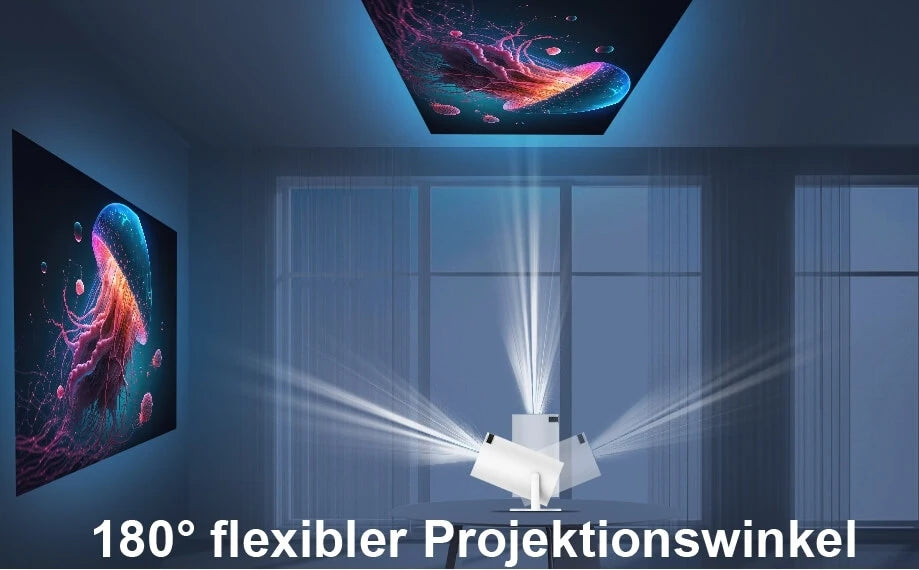
180° Rotation: Flexible Wall and Ceiling Projection
One of the biggest advantages of the HY300 Pro is its 180° rotating projection design.
This allows users to adjust the projection direction more easily for different environments.
Examples:
· Bedroom ceiling projection while lying in bed
· Wall projection from a bedside table
· Quick setup on a coffee table or shelf
This flexibility makes the HY300 Pro especially suitable for small spaces where traditional projector placement may be difficult.
Automatic Keystone Correction: Faster Setup for Beginners
Projector placement is not always perfectly aligned with the screen. When the projector is placed at an angle, the image may appear distorted.
Automatic keystone correction helps:
· Adjust the image shape
· Reduce manual setup time
· Make the projector easier for beginners to use
For the best image quality, placing the projector as directly facing the screen as possible is still recommended.
3. Magcubic HY300 Pro Specifications Overview
|
Specification |
HY300 Pro |
What It Means |
|
Native Resolution |
720P |
Determines the actual displayed image detail |
|
Supported Content |
Up to 4K input/support |
Higher-resolution content compatibility, while output depends on native resolution |
|
Brightness |
200 ANSI Lumens |
Best performance in dark or controlled-light environments |
|
Contrast Ratio |
2000:1 |
Affects black levels and image depth |
|
Operating System |
Android 14 |
Provides smart system features and app support |
|
Wireless Connection |
WiFi 6 |
Faster and more stable wireless connectivity |
|
Bluetooth |
Bluetooth 5.4 |
Connects external audio devices |
|
Projection Angle |
180° Rotation |
Supports flexible placement including ceiling projection |
|
Correction |
Automatic Keystone Correction |
Helps adjust image shape quickly |
|
Ports |
HDMI ×1, USB ×1, DC Input ×1 |
Connects computers, streaming devices, and USB storage |

4. Why Choose a Mini Projector for Everyday Entertainment?
Compared with traditional large projectors or TVs, the main advantage of a mini projector is not maximum brightness or professional image performance.
Its value comes from:
Easy Storage
The compact design allows users to store the projector when not in use.
High Mobility
You can easily move it from:
· Living room to bedroom
· Indoor space to outdoor space
· Home to travel locations
Simple Setup
A mini projector works more like an everyday entertainment device:
· Place it
· Connect your device
· Adjust the image
· Start watching
For users who mainly watch movies, shows, cartoons, and casual videos, portability can be more important than maximum specifications.
5. Outdoor Movie Night: Can HY300 Pro Be Used Outside?
Yes, the HY300 Pro can be used outdoors, but the environment plays an important role.
Recommended outdoor conditions:
✅ After sunset or at night
✅ Low ambient light
✅ Smooth projection surface
✅ External speaker recommended
Good outdoor scenarios include:
· Backyard movie nights
· Patio entertainment
· Small gatherings
· Camping movie experiences
Less suitable situations:
❌ Daytime outdoor use
❌ Large outdoor events
❌ Environments requiring extremely high brightness
For outdoor projection, using a portable screen instead of an uneven wall can improve image consistency.
6. Home Theater Setup Tips: Get Better Results with Simple Adjustments
Even with an entry-level projector, proper setup can significantly improve viewing quality.
1. Control Ambient Light
Reducing surrounding light is one of the easiest ways to improve projector performance.
Try:
· Closing curtains
· Turning off unnecessary lights
· Watching at night
2. Place the Projector Correctly
For a clearer image:
· Keep the projector centered with the screen
· Minimize extreme angles
· Adjust focus after changing distance
3. Use a Projector Screen When Possible
A projector screen can provide:
· More consistent brightness
· Better color performance
· A smoother viewing surface
A clean white wall can also work well in suitable conditions.
4. Improve Audio Experience
For a more cinematic feeling, consider connecting:
· Bluetooth speakers
· Soundbars
· External audio systems
7. About 4K Projector Searches: Understanding HY300 Pro’s Position
Many users search for “4K projector” when looking for a new projector.
It is important to understand the difference between:
4K Support and Native 4K Resolution
If a projector supports 4K input or decoding:
· It means the device can process higher-resolution content
· The final displayed image still depends on the projector’s native resolution
A native 4K projector is designed for users who want maximum image detail and are usually willing to invest more.
The HY300 Pro is positioned for users who prioritize:
· Affordable big-screen entertainment
· Portability
· Flexible placement
· Everyday movie watching
8. Buying Recommendation: Is Magcubic HY300 Pro Right for You?
The HY300 Pro is a good choice if you want:
✔ A portable mini projector
✔ A bedroom movie setup
✔ A budget-friendly home theater experience
✔ Easy wireless connectivity
✔ Flexible wall or ceiling projection
It may not be the best option if you need:
✘ Professional cinema-level brightness
✘ Daytime outdoor projection
✘ Native 4K image quality
Recommended accessories:
· Portable projector screen
· Bluetooth speaker
· HDMI cable or adapter
· Projector stand or carrying case
The Magcubic HY300 Pro is designed to make big-screen entertainment easier, more flexible, and more accessible for everyday users.

Frequently Asked Questions
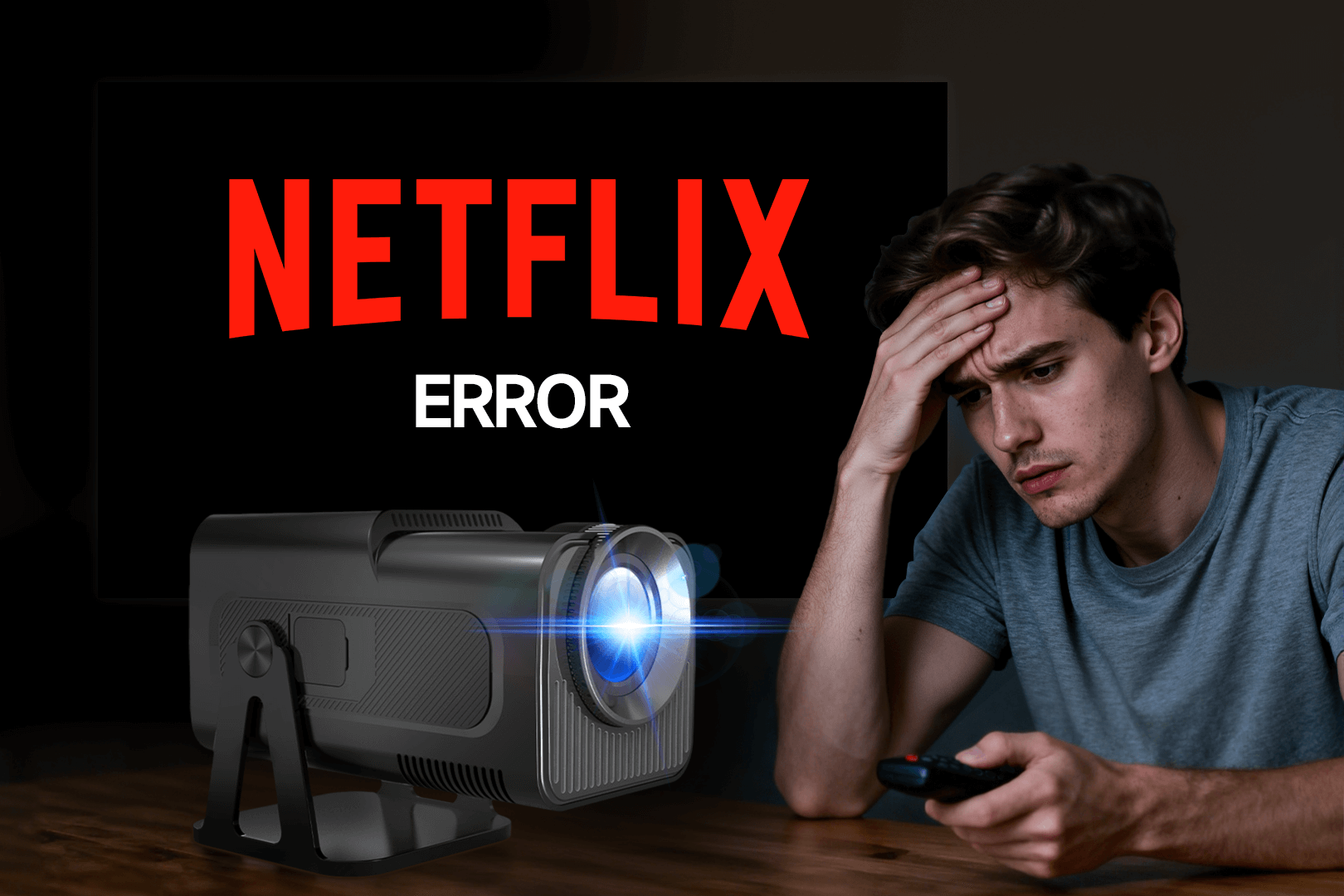
Can HY300 Pro run Netflix?
Netflix availability depends on certification, region, software version, and device compatibility.
Some streaming services may require external streaming devices for the most reliable experience.
Is HY300 Pro a native 1080P projector?
No. The HY300 Pro uses a 720P native resolution.
Supported higher-resolution content does not necessarily mean native display resolution.
Can HY300 Pro project onto the ceiling?
Yes. The 180° rotating design makes ceiling projection easier, especially for bedroom use.
The best results depend on:
· Ceiling color
· Room lighting
· Projection distance
· Focus adjustment
Is HY300 Pro good for outdoor movies?
Yes, it is suitable for casual outdoor movie nights after sunset.
For the best experience, use:
· A projector screen
· External speakers
· A dark environment
Final Summary
The Magcubic HY300 Pro is a compact mini projector designed for users who want a simple, portable, and affordable way to enjoy a larger screen experience at home or outdoors. It is especially suitable for bedrooms, apartments, dorm rooms, and casual entertainment setups.